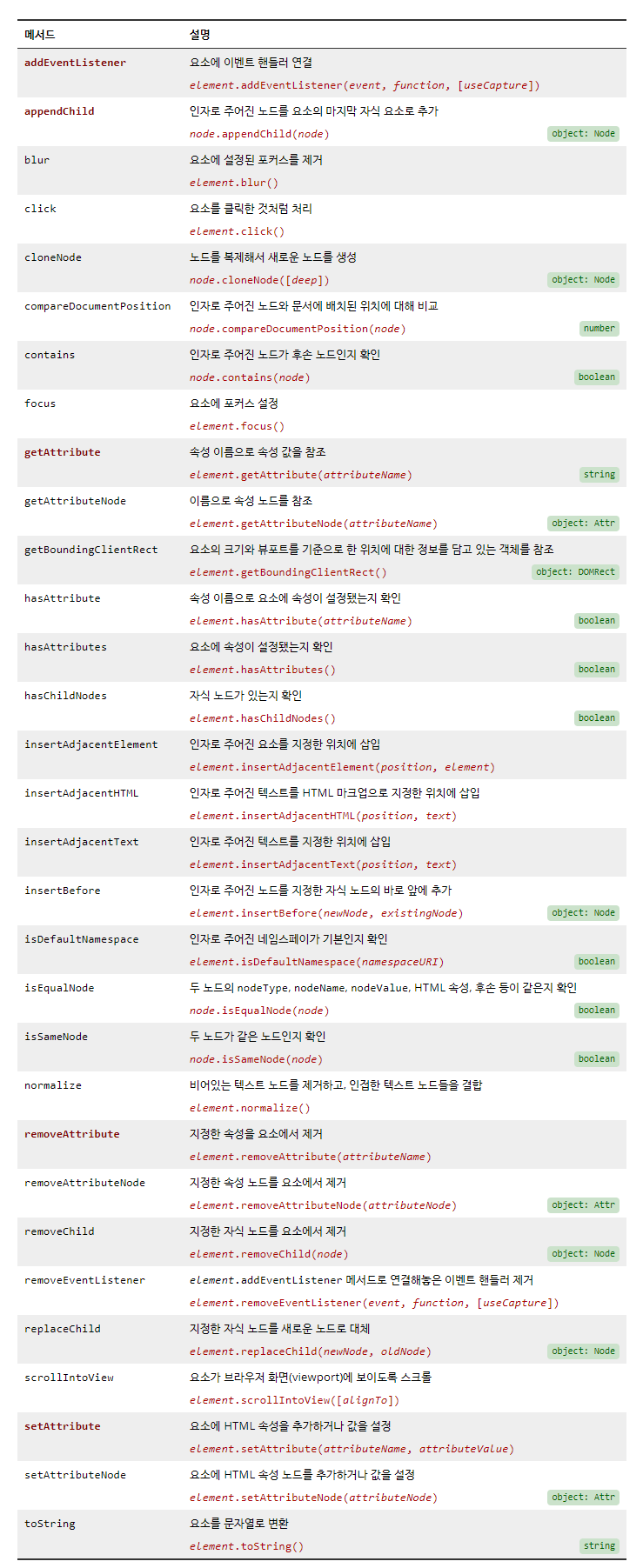
1. Element 객체의 메서드
예제) HTML 요소의 속성 조작
<!DOCTYPE html>
<html>
    <head>
        <meta name="viewport" content="width=device-width">
        <meta charset="utf-8">
        <title>demo</title>
    </head>
    <body>
        <img src="images/sample.jpg" alt="Sample" width="200" id="sample">
        <script>
            var sample = document.getElementById("sample");

            console.log(sample.getAttribute("width"));
            console.log(sample.width);
            // 브라우저가 지원하는 태그의 속성인 경우, 객체의 속성으로 바로 설정 가능하다.

            sample.width = "300";
            // sample.setAttribute("width", "300");

            console.log(sample.width);
        </script>
    </body>
</html>
예제 2) HTML 요소의 속성 조작
<!DOCTYPE html>
<html>
    <head>
        <meta name="viewport" content="width=device-width">
        <meta charset="utf-8">
        <title>demo</title>
    </head>
    <body>
        <a href="http://www.google.com" id="search" width="200">Search engine</a>
        <script>
            var search = document.querySelector("#search");

            console.log("search.innerHTML = " + search.innerHTML);

            console.log("search.href = " + search.href);
            console.log('search.getAttribute("href") = ' + search.getAttribute("href"));

            console.log("search.id = " + search.id);
            console.log('search.getAttribute("id") = ' + search.getAttribute("id"));

            search.href = "http://www.naver.com";
            // search.setAttribute("href", "http://www.naver.com");

            search.width += 100;
            // → search.width = search.width + 100;
            // → search.width = "200" + 100;
            // → search.width = "200" + "100";
            // → search.width = "200100";

            search.width = parseInt(search.width) + 100
            // paraseInt 함수는 문자열을 숫자로 바꿔주는 함수이다.

            // a 태그에서는 width 속성을 기본적으로 지원해주지 않기 때문에 나타나지 않는다.
        </script>
    </body>
</html>
예제 3) 새로운 HTML 요소의 생성과 연결
<!DOCTYPE html>
<html>
    <head>
        <meta name="viewport" content="width=device-width">
        <meta charset="utf-8">
        <title>demo</title>
    </head>
    <body>
        <h1>Hello</h1>
        <script>
            var node = document.createElement("h2");
            node.innerHTML = "World!";
            // Element 객체의 innerHTML 속성을 직접 조작해 요소의 내부 문자 설정

            document.body.appendChild(node);
        </script>
    </body>
</html>
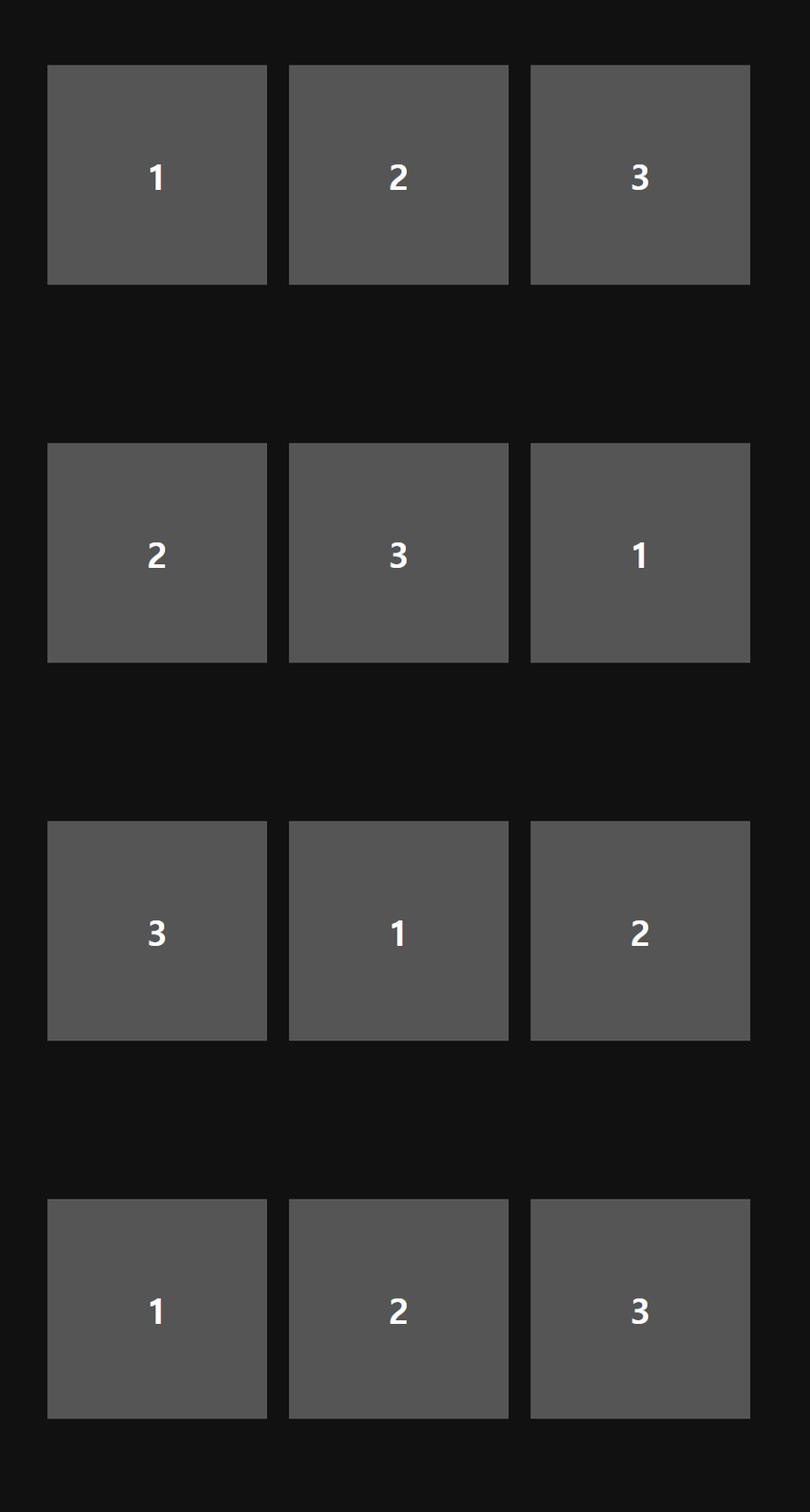
예제 4) appendChild 메서드
<!DOCTYPE html>
<html>
    <head>
        <meta name="viewport" content="width=device-width">
        <meta charset="utf-8">
        <title>demo</title>
        <link rel="stylesheet" href="reset.css">
        <style>
            body {
                background-color: #111;
                color: white;
            }

            #list {
                margin: 100px;
            }

            /* 모든 자식 요소들에 float 스타일 속성이 설정된 경우 부모 요소의 영역을 잡아주기 위해 */
            #list::after { content: ""; display: block; clear: both; }

            #list > li {
                /* 형제 요소들을 나란히 배치 */
                float: left;

                width: 200px; height: 200px;
                line-height: 200px;
                margin: 10px;
                font-size: 2em;
                font-weight: 900;
                text-align: center;
                background-color: #555;
            }
        </style>
    </head>
    <body>
        <ul id="list">
            <li>1</li>
            <li>2</li>
            <li>3</li>
        </ul>
        <script>
            // 1. 2초마다
            // 2. #list 요소의 첫 번째 자식요소를 #list 요소의 마지막으로 이동시킨다.

            //-------------------------------------------------------------------------
            // 프로그램에서 참조하는 요소를 미리 탐색
            var list = document.querySelector("#list");
            // → 변수 list에는 #list 요소를 표현하는 Element 객체가 대입되어 있다.
            //  그래서 변수 list를 통해 #list 요소를 참조할 수 있다.

            // 1. 2초마다
            window.setInterval(function () {

                // 2. #list 요소의 첫 번째 자식요소를 #list 요소의 마지막으로 이동시킨다.

                // #list 요소의 첫 번째 자식 요소 = list.firstElementChild
                // list.firstChild는 첫 번째 자식 노드이다.

                // #list 요소의 마지막 자식 요소로 추가한다 = list.appendChild();

                // → Element 객체의 appendChild 메서드는 인자로 주어진 요소를 Element 객체가 나타내는
                //  요소의 마지막 자식 요소로 추가하는 메서드이다.
                //  만약 인자로 기존에 존재하는 요소를 넣어주게 되면, 그 요소를 이동하게 된다.
                list.appendChild(list.firstElementChild);

            }, 2000);
        </script>
    </body>
</html>