

1. 애니메이션 큐(★★★)란?
- jQuery 효과 메서드는 애니메이션 큐(Queue)에 계속 누적
- FIFO(First In First Out)
예시 1)
$("#box)
    .animate({ left: "+=100" }, 2000)
    .animate({ width: "+=100" }, 2000)
    .animate({ height: "+=100" }, 2000);
예시 2)
<script>
    $(function () {
        $("#go1").on("click", function() {
            $("#block1")
            /*①*/    .animate({width: "90%"}, {queue: false, duration: 3000})
            /*②*/    .animate({fontSise: "24px"}, 1500)
            /*③*/    .animate({borderRightWidth: "15px"}, 1500);
        });
        /*
            ①
            〓〓〓〓〓〓〓〓〓〓〓〓〓〓〓〓〓▷
            ②                  ③
            〓〓〓〓〓〓〓〓▷〓〓〓〓〓〓〓〓▷
        */

        $("#go1").on("click", function() {
            $("#block1")
            /*①*/    .animate({width: "90%"}, 1000)
            /*②*/    .animate({fontSise: "24px"}, 1000)
            /*③*/    .animate({borderRightWidth: "15px"}, 1000);
        });
        /*
            ①            ②           ③
            〓〓〓〓〓▷〓〓〓〓〓▷〓〓〓〓〓▷
        */
    });
</script>
2. 애니메이션 큐 내용 제거
| 메서드 | 설명 |
| clearQueue() | 애니메이션 큐의 내용 제거 |
- $(selector).clearQueue();
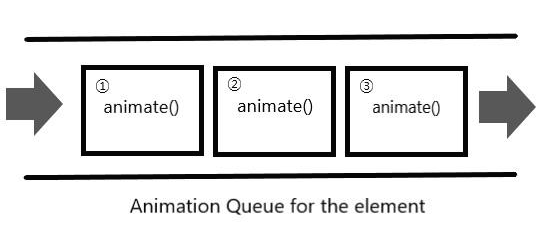
예제)
<script>
    $(function () {
        $("#block1")
        /*①*/    .animate({left: "+=100"}, 2000)
        /*②*/    .animate({width: "+=100"}, 2000)
        /*③*/    .animate({height: "+=100"}, 2000);

        window.setTimeout(function() {
            $("#box").clearQueue();
        }, 3000);
    });
</script>

<div id="box"></div>
<!--
    ①            ②           ③
    〓〓〓〓〓▶〓〓〓〓〓▶***********▶
                   ↑
                clearQueue()
-->
3. 애니메이션 정지
| 메서드 | 설명 |
| stop() | 효과와 애니메이션을 정지 |
- $(selector).stop();
- $(selector).stop(Boolean clearQueue);
- $(selector).stop(Boolean clearQueue, Boolean goToEnd);
- clearQueue - clearQueue 메서드를 실행하는 것과 같은 효과(기본 값: false)
- goToEnd - 저장한 최종 형태에서 멈춤(기본 값: false)
예제)
<!DOCTYPE html>
<html>
    <head>
        <meta name="viewport" content="width=device-width">
        <meta charset="utf-8">
        <title>1월 3일 lecture</title>
        <link rel="stylesheet" href="reset.css">
        <style>
            body {
                padding: 3em;
                font-size: 1.4em;
                background-color: black;
            }

            #buttons { margin-bottom:  100px; }

            #buttons > button {
                font-size: 1.4rem;
                font-family: Consolas, "Courier New", Courier, monospace ;
                padding: 0.4em 1em;
            }

            #box {
                width: 300px; height: 300px;
                background-color: blueviolet;
                position: relative;
            }
        </style>
        <script src="https://code.jquery.com/jquery.min.js"></script>
        <script>
            $(function() {
                var $box = $("#box");

                window.setInterval(function () {

                    $box.animate({ left: 800 }, 1000).animate({ left: 0 }, 1000);

                }, 3000);

                $("#buttons > button").on("click", function () {
                    var code = "$box." + $(this).text();

                    // eval 함수: 인자로 주어진 문자열을 JavaScirpt 문장으로 실행시킨다.
                    eval(code);
                });

            })  // document.onready

        </script>
    </head>
    <body>
        <div id="buttons">
            <button>stop()</button>
            <button>stop(true)</button>
            <button>stop(false, true)</button>
            <button>stop(true, true)</button>
        </div>

        <div id="box"></div>
    </body>
</html>
1) var code = "$box.stop()";
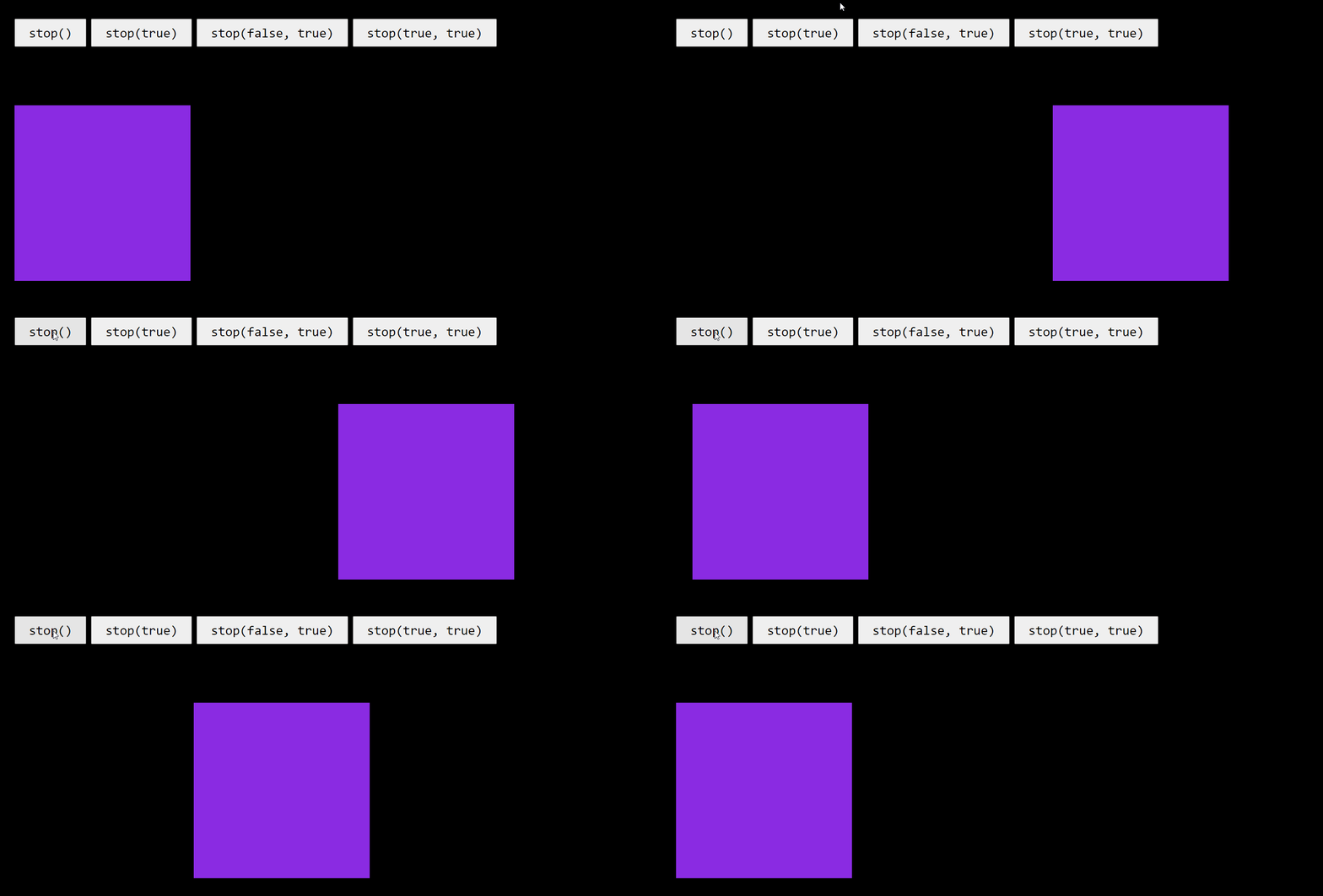
- 기본값은 false 이므로 $box.stop()은 $box.stop(false, false)와 같다.
- clearQueue의 불린값이 false 이므로 애니메이션 큐의 내용을 지우지 않는다.
- goToEnd(지정한 최종 형태에서 멈춤)의 불린 값이 false 이므로
- 버튼을 눌렀을때 그 시점에 멈춘 상태로 멈추다가 그 다음 애니메이션 큐( animate({ left: 0 }, 1000) )가 실행된다.
2) var code = "$box.stop(true)";
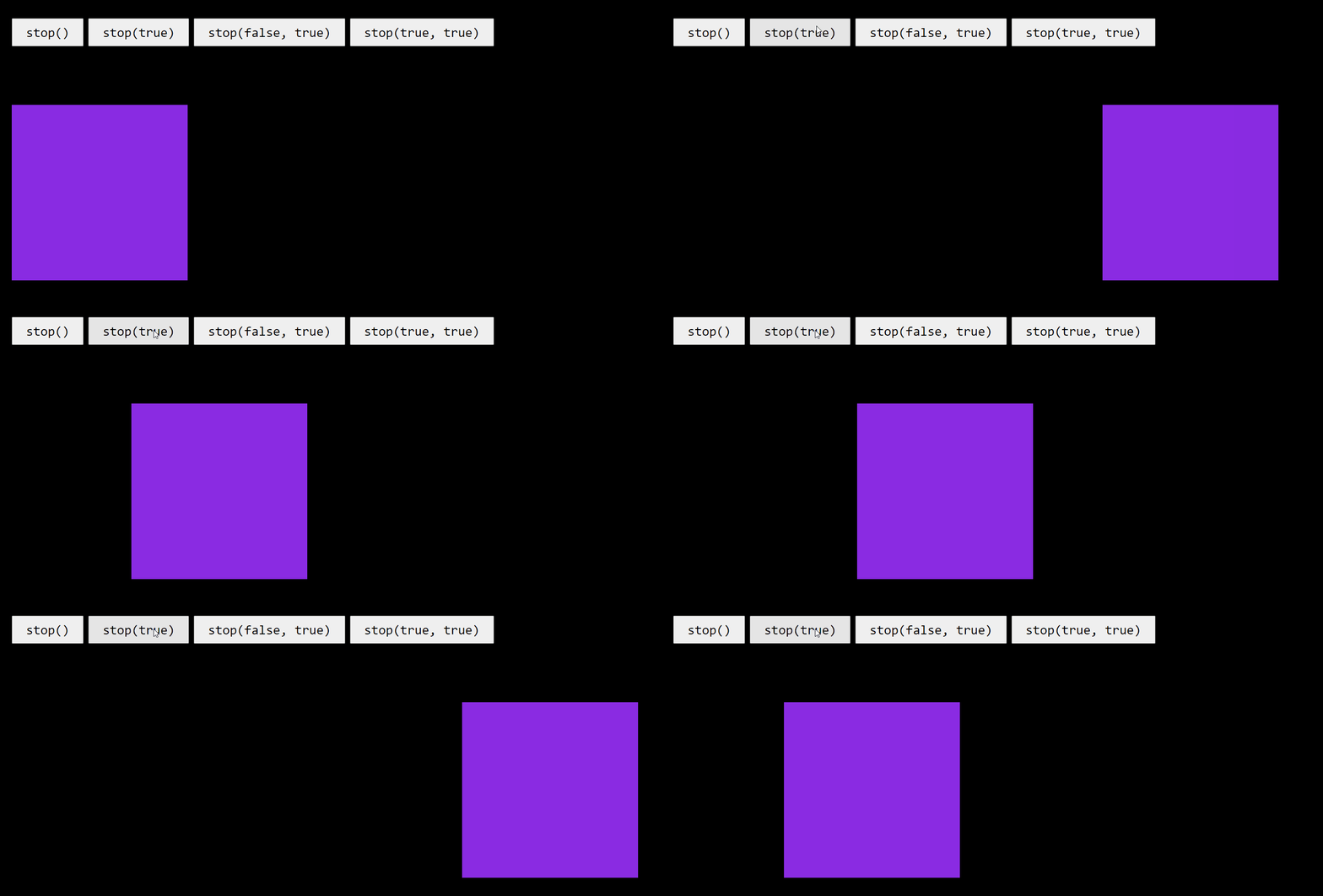
- 기본값은 false 이므로 $box(true. false)와 같다.
- clearQueue의 불린값이 true 이므로 애니메이션 큐의 내용을 모두 지우고 그 다음 타이머가 새로 실행된다.
- goToEnd(지정한 최종 형태에서 멈춤)의 불린 값이 false 이므로
- 버튼을 눌렀을때 그 시점에 멈춘 상태로 멈추다가 새로운 타이머의 애니메이션 큐( animate({ left: 800 }, 1000) )가 실행된다.
3) var code = "$box.stop(false, true)";
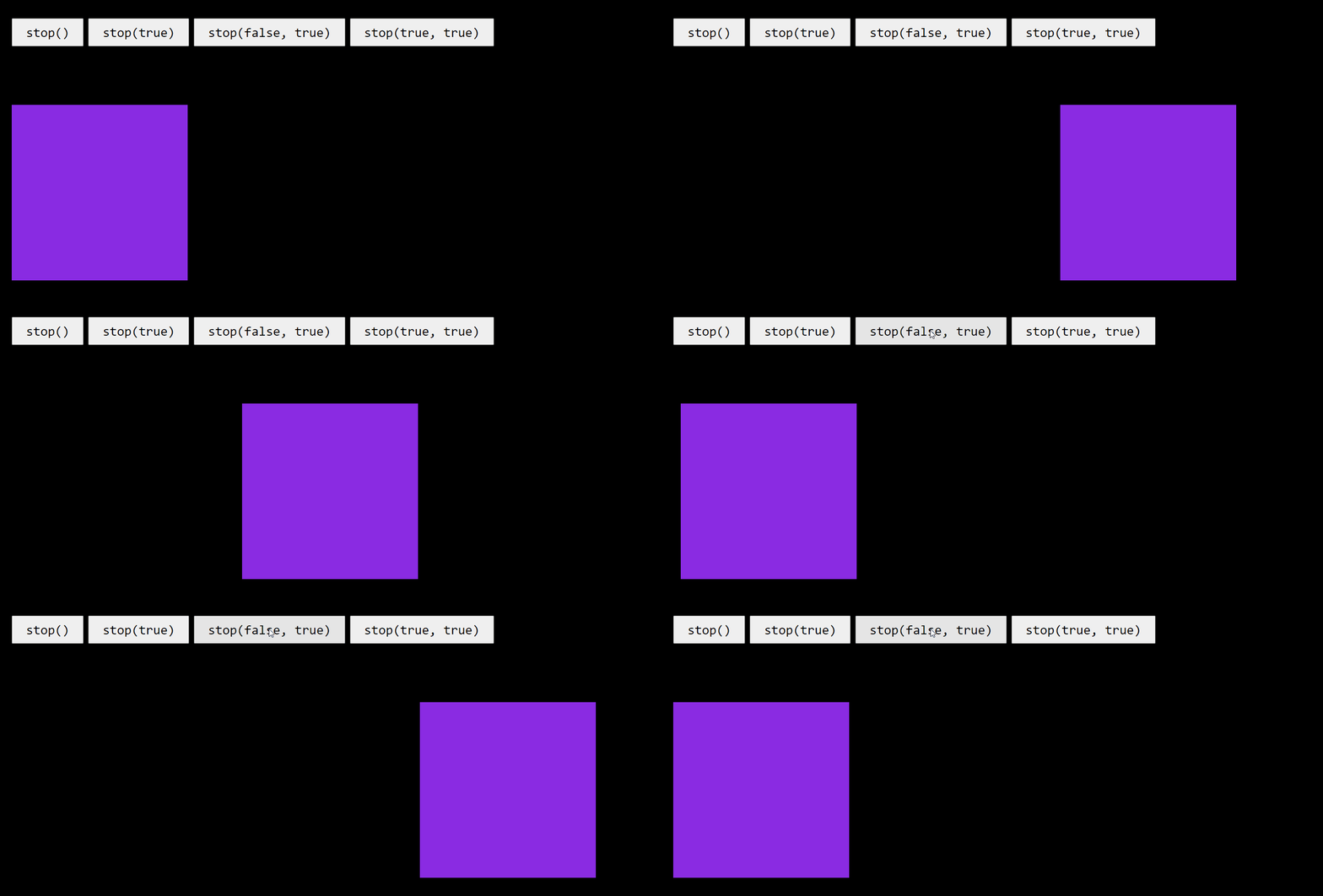
- clearQueue의 불린값이 false 이므로 애니메이션 큐의 내용을 지우지 않고
- goToEnd(지정한 최종 형태에서 멈춤)의 불린 값이 true 이므로
- 지정한 최종 형태(left: 800)에서 멈추고 그 다음 애니메이션 큐( animate({ left: 0 }, 1000) )가 실행된다.
4) var code = "$box.stop(true, true)";
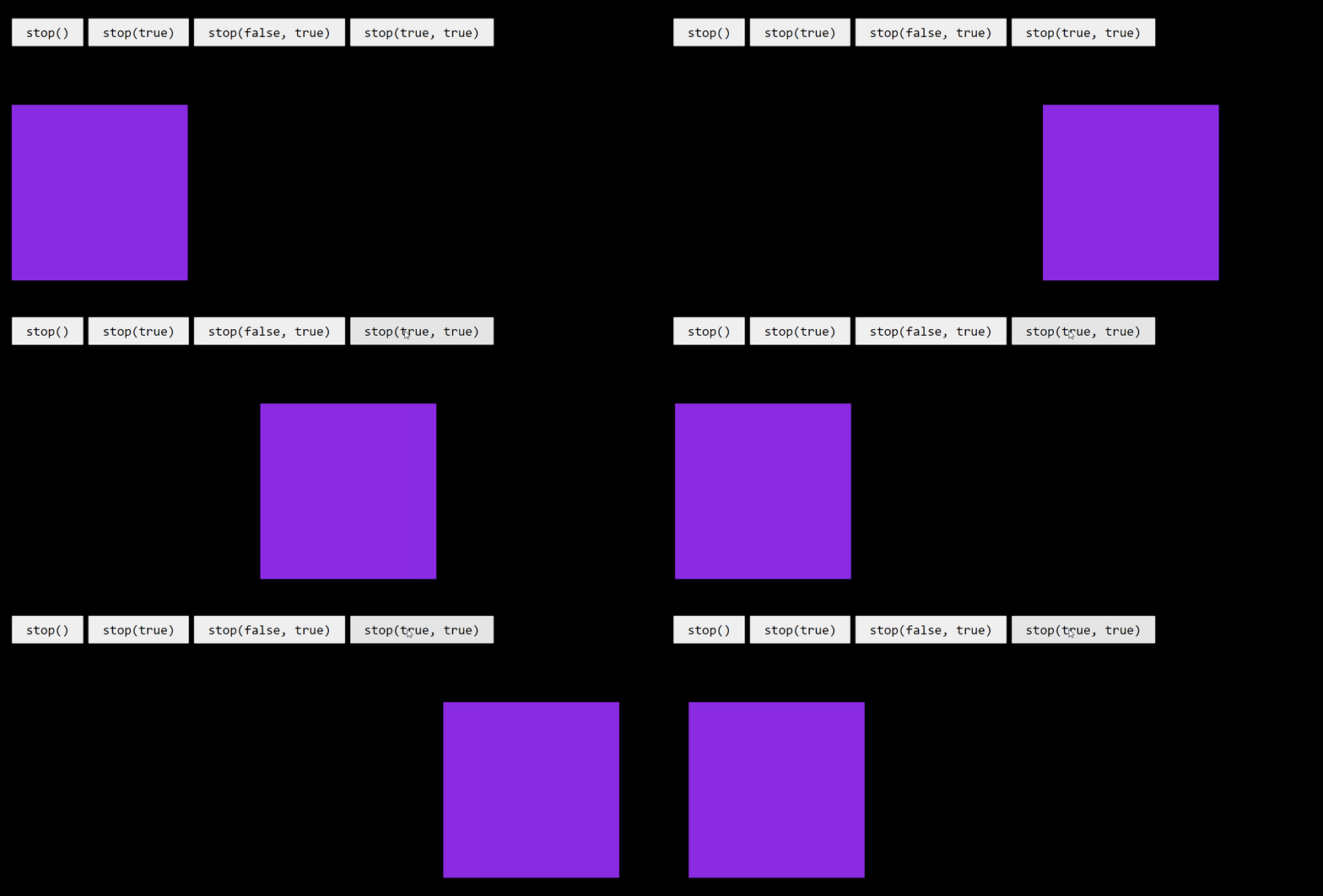
- clearQueue의 불린값이 true 이므로 애니메이션 큐의 내용을 모두 지우고 그 다음 타이머가 새로 실행된다.
- goToEnd(지정한 최종 형태에서 멈춤)의 불린 값이 true 이므로
- 지정한 최종 형태(left: 800)에서 멈추고 새로운 타이머의 애니메이션 큐( animate({ left: 800 }, 1000) )가 실행된다.
4. 애니메이션 지연
| 메서드 | 설명 |
| delay() | 큐에 있는 명령을 잠시 중지 |
- $(selector).delay(duration);
- duration - 밀리초 단위로 큐에 있는 애니메이션을 잠시 중지시킬 시간

예제)
<script>
    $(function() {
        $("div").each(function (index) {
            $(this)
                .delay(index * 500)
                .delay({left: 300}, "slow")
                .delay(500)
                .animate({left: 0}, "slow");
        });
    });
</script>

<div></div>
<div></div>
<div></div>
<div></div>