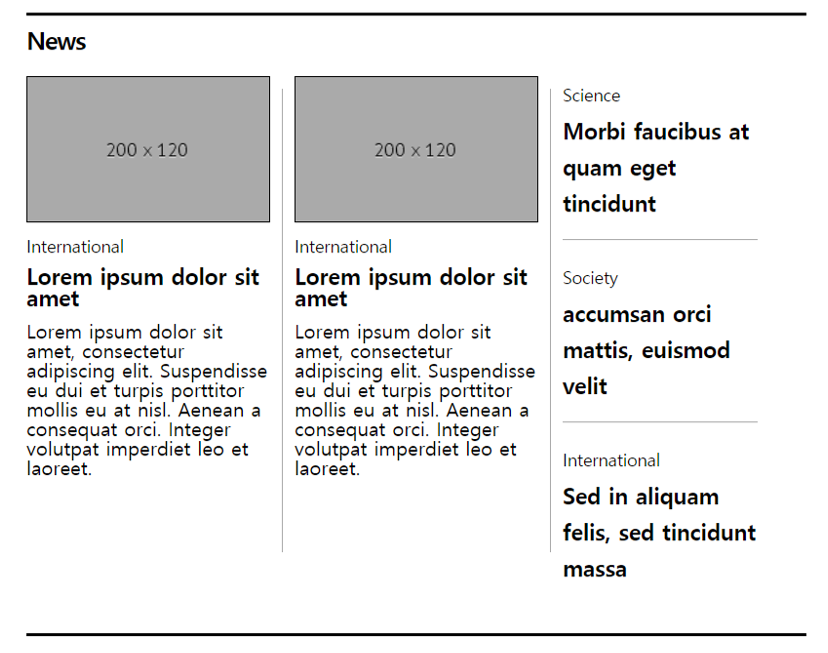
뉴스 헤더라인 레이아웃
<!DOCTYPE html>
<html>
    <head>
        <meta name="viewport" content="width=device-width, initial-scale=1.0">
        <meta charset="utf-8">
        <link rel="stylesheet" href="reset.css">
        <title>news headerline layout</title>
        <style>
            #container {
                width: 640px;
                padding: 10px 0;

                border: 2px solid black;
                border-style: solid none;
                /* border-top: 2px solid black;
                border-bottom: 2px solid black; */

                margin: 100px auto;
            }

            #header {
                font-size: 20px;
                font-weight: 900;
                letter-spacing: -1px;
                /* padding: 25px 0; */
                margin-bottom: 20px;
            }
            /* ahems wktlr dythdp float 스타일 속성이 설정된 경우 부모 요소의 여역을 잡아주기 위해*/
            #wrap::after { content: ""; display: block; clear: both; }

            #wrap > div {
                width: 200px;

                /*높이를 잡아주는 이유? 옆의 ul의 li 요소의 높이를 지정하기 위해*/
                height: 360px;

                float: left;
                /* line-height: 25px; */
                margin-right: 20px;
                /* 가상 요소의 기준 영역을 설정 */
                position: relative;
            }
            #wrap > div::after {
                content: "";

                /* 가상 요소는 inline 형식의 요소이다. 여기에서는 block 형식의 요소로 배치 */
                display: block;

                /* 너비의 기본값은 담고 있는 컨텐츠 여기에서는 담고 있는 컨텐츠가 없으므로 0이다
                 그러므로 width 값을 설정해준다 */
                width: 1px;

                border-right: 1px solid darkgray;
                position: absolute;
                top: 10px;
                bottom: -30px;
                right: -10px;
            }
            /* img 요소는 inline-block 형식의 요소이다. 여기에서는 block 형식의 요소로 배치 */
            #wrap > div > img {
                width: 200px;
                height: 120px;
                border: 1px solid black;
                box-sizing: border-box;
                margin-bottom: 10px;
            }
            #wrap > div > h2 {
                font-size: 14px;
                margin-bottom: 10px;
            }
            #wrap > div > h3 {
                font-size: 18px;
                font-weight: bold;
                margin-bottom: 10px;
            }
            #wrap > ul { float: left;}
            #wrap > ul > li {
                width: 160px;
                line-height: 30px;
                padding-bottom: 15px;
                /*margin-bottom: 15px;*/
                /*position: relative;*/
            }
            /* #wrap > ul > li::after {
                content: "";
                width: 1px;
                border-bottom: 1px solid darkgray;
                position: absolute;
                left: 10px;
                right: 10px;
                bottom: -15px;
            } */
            #wrap > ul > li:not(:last-child) {
                border-bottom: 1px solid darkgray;
            }

            #wrap > ul > li > h2 {
                font-size: 14px;
            }
            #wrap > ul > li > h3 {
                font-size: 18px;
                font-weight: bold;
            }

        </style>
    </head>

    <body>
        <div id="container">
            <!--h1 태그는 div 태그 이므로 컨텐츠 영역을 전체를 다 차지 하므로
            	따로 다른 태그로 묶을 필요가 없다 -->
            <h1 id="header">News</h1>
            <div id="wrap">
                <div>
                    <img src="https://place-hold.it/200x120" alt="thumnail">
                    <h2>International</h2>
                    <h3>Lorem ipsum dolor sit amet</h3>
                    <p>Lorem ipsum dolor sit amet, consectetur adipiscing elit.
                        Suspendisse eu dui et turpis porttitor mollis eu at nisl.
                        Aenean a consequat orci.
                        Integer volutpat imperdiet leo et laoreet. </p>
                </div>
                <div>
                    <img src="https://place-hold.it/200x120" alt="thumnail">
                    <!--section 태그는 기사를 모아 놓을때 영역을 잡기 위하여 사용하는 태그
                        즉, article 보다 상위 태그라고 볼 수 있다.
                        그러므로 여기선느 section 태그를 쓸 필요가 없다.-->
                    <h2>International</h2>
                    <h3>Lorem ipsum dolor sit amet</h3>
                    <p>Lorem ipsum dolor sit amet, consectetur adipiscing elit.
                        Suspendisse eu dui et turpis porttitor mollis eu at nisl.
                        Aenean a consequat orci.
                        Integer volutpat imperdiet leo et laoreet. </p>
                </div>
                <ul>
                    <li>
                        <h2>Science</h2>
                        <h3>Morbi faucibus at quam eget tincidunt</h3>
                    </li>
                    <li>
                        <h2>Society</h2>
                        <h3>accumsan orci mattis, euismod velit </h3>
                    </li>
                    <li>
                        <h2>International</h2>
                        <h3>Sed in aliquam felis, sed tincidunt massa </h3>
                    </li>
                </ul>
            </div> <!-- /#wrap-->
        </div> <!-- /#container-->
    </body>
</html>